Smart Printer app iconSmart Printer
Free Mobile Printer App · Android & iOS

Print, Scan & Fax From Your Phone — No PC, No Cables

Smart Printer: Print Scan Fax turns your phone into a wireless printer, document scanner, fax machine and PDF editor. Print over WiFi to 10,000+ printers — HP, Canon, Brother, Epson and more — in a 2-minute setup.

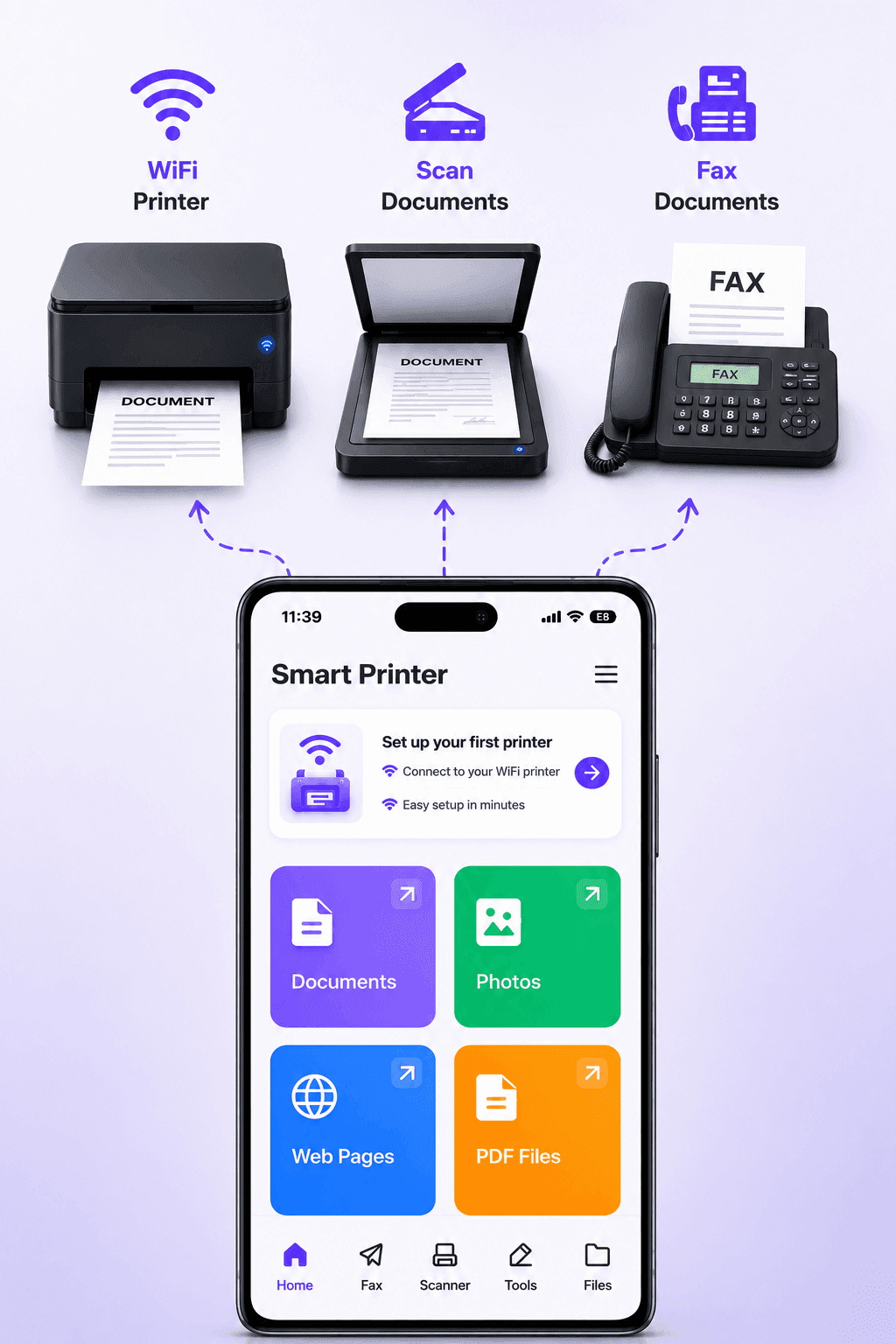
  • Print via WiFiDocuments, photos & labels from your phone
  • Scan DocumentsCamera scanner with auto edge detection
  • Send Fax OnlineNo fax machine needed, worldwide
  • Edit & Sign PDFsSign, compress, merge & protect files
Get it on Google PlayDownload on the App Store
★★★★★

Trusted worldwide · 10,000+ supported printers · 2-minute WiFi setup · Free download

Smart Printer mobile printing app home screen with WiFi printer setup and options to print documents, photos, advanced formats and custom labels
What is Smart Printer: Print Scan Fax?
Smart Printer: Print Scan Fax is a free mobile printing app for Android and iOS that connects your phone directly to WiFi printers — no computer, cables, drivers or AirPrint required. With one app you can print from your phone to 10,000+ printer models, scan documents with your camera, send fax online without a fax machine, and edit, sign, compress, merge and password-protect PDF files. It replaces a home printer utility, a portable scanner, a fax service and a PDF editor with a single download.
10,000+Supported printer models
2 minAverage WiFi setup time
15+Built-in PDF & document tools
Android & iOSAvailable on both platforms
Core Features

One Printer App. Your Entire Mobile Office.

Wireless printing, mobile scanning, online fax and PDF editing — everything you need to handle documents from your phone, with no computer required.

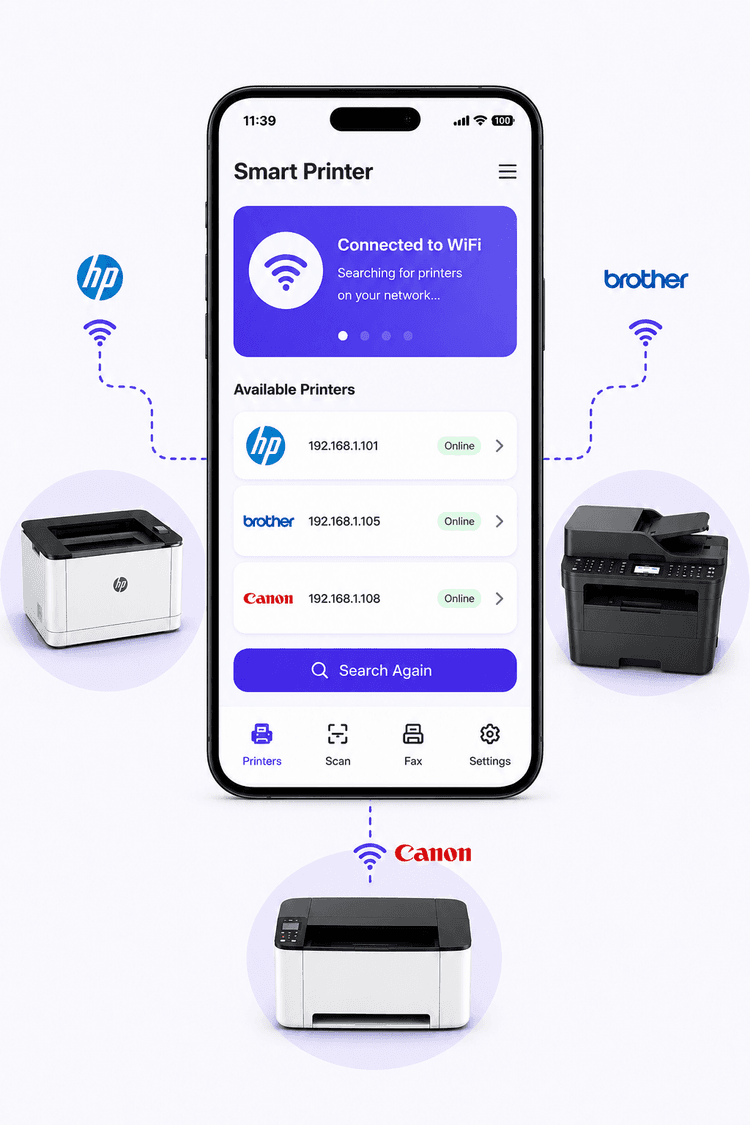
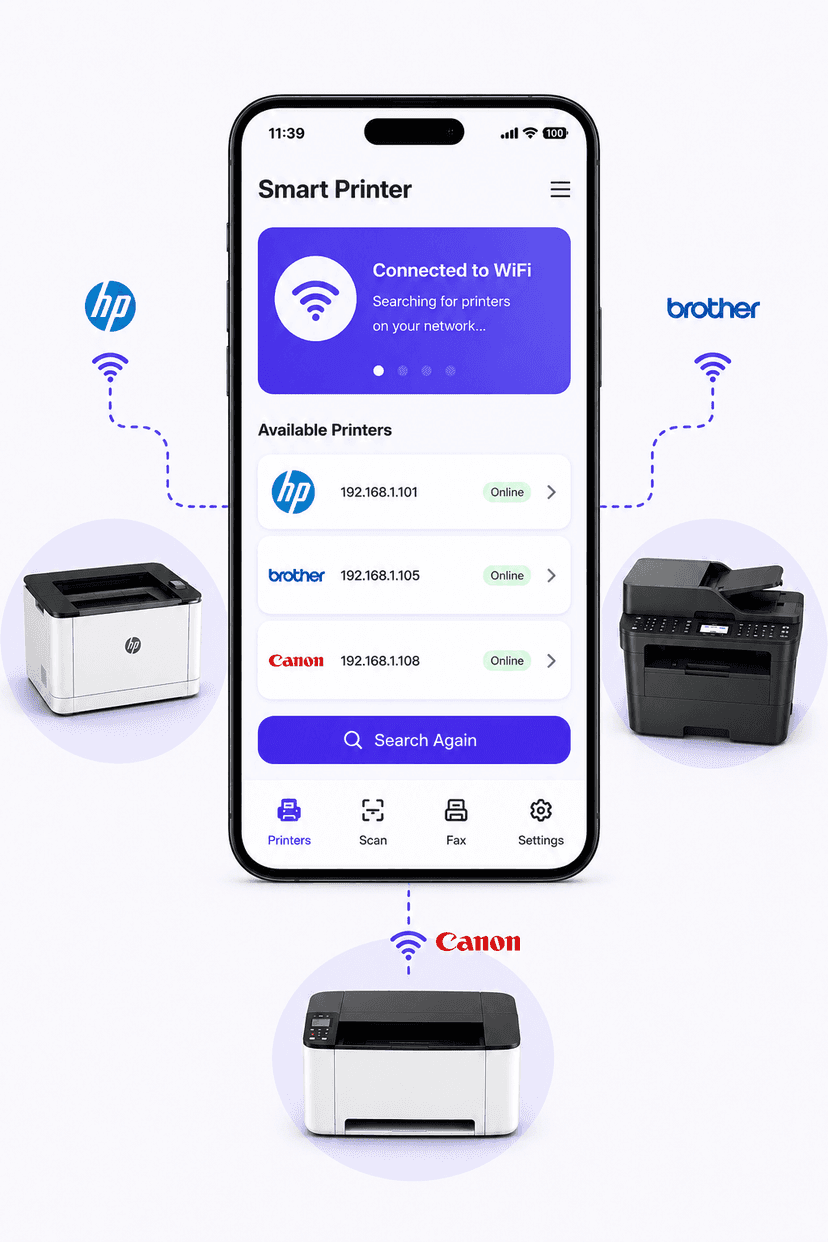
Print from phone via WiFi: Smart Printer app detecting HP LaserJet Pro, Brother MFC and Canon imageCLASS wireless printers on the network

Print Directly From Your Phone via WiFi

The app automatically discovers every wireless printer on your WiFi network. Tap to connect and print PDFs, Word documents, photos, emails and web pages from your iPhone or Android in seconds — no drivers, no desktop, no cables, no AirPrint needed.

  • Auto-detects HP, Canon, Brother, Epson & 10,000+ printer models
  • Print PDFs, Word docs, photos, emails and cloud files
  • Color or black & white, multiple paper sizes
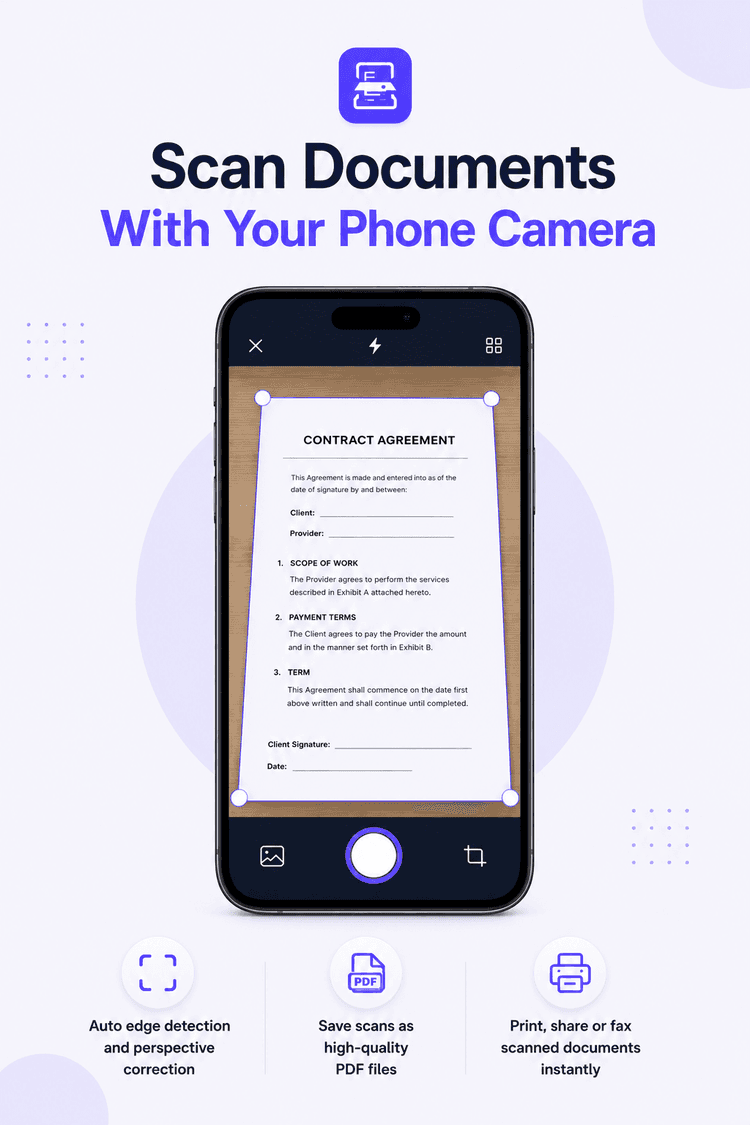
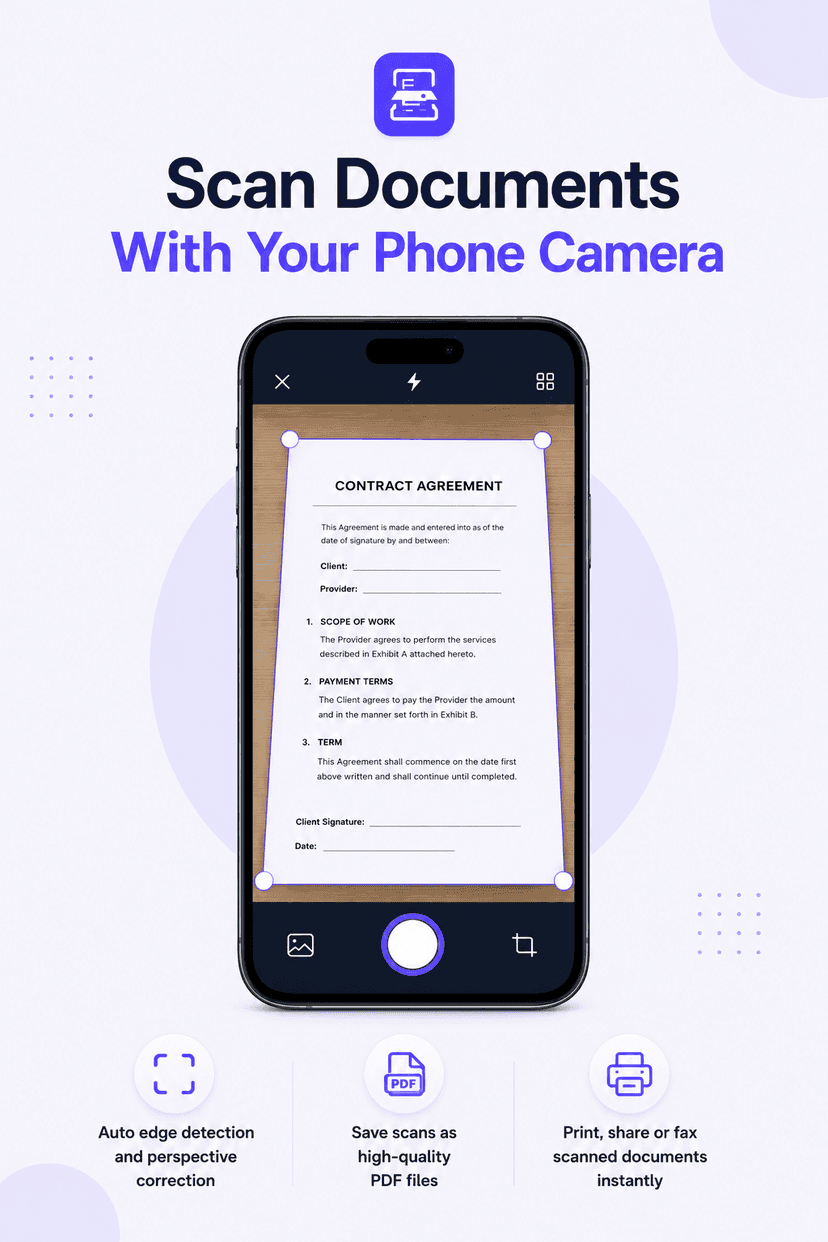
Scan documents with phone camera: Smart Printer document scanner capturing a business report with automatic edge detection

Scan Documents With Your Phone Camera

Turn your phone into a portable document scanner. Automatic edge detection captures crisp, clean scans of contracts, receipts, invoices, IDs and reports — ready to print, fax, or save as PDF and share.

  • Auto edge detection and perspective correction
  • Save scans as high-quality PDF files
  • Print, share or fax scanned documents instantly
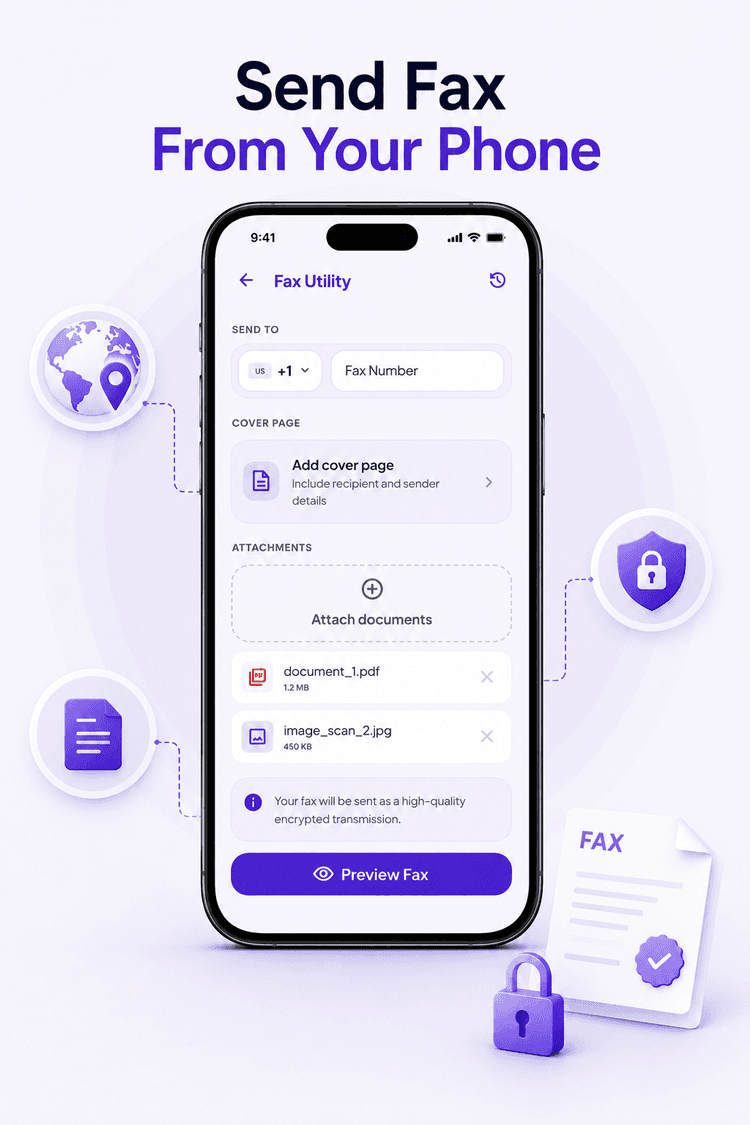
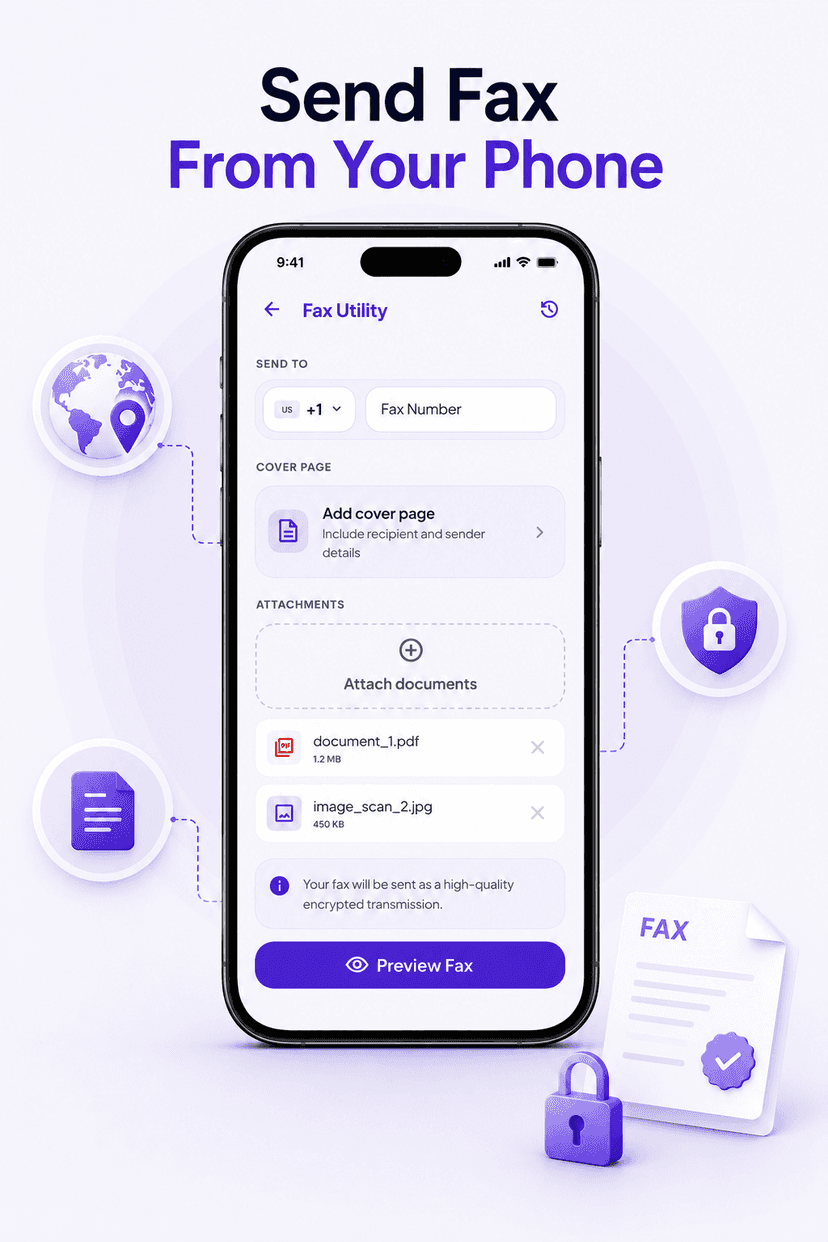
Send fax from phone: Smart Printer online fax screen with recipient number, cover page option and attached PDF document

Send Fax Online — No Fax Machine Needed

Fax documents to any number worldwide directly from your phone. Attach PDFs or scans, add a professional cover page with sender and recipient details, and send as a high-quality encrypted transmission.

  • International online fax with country code support
  • Optional cover page with sender & recipient details
  • Encrypted transmission, review all pages before sending
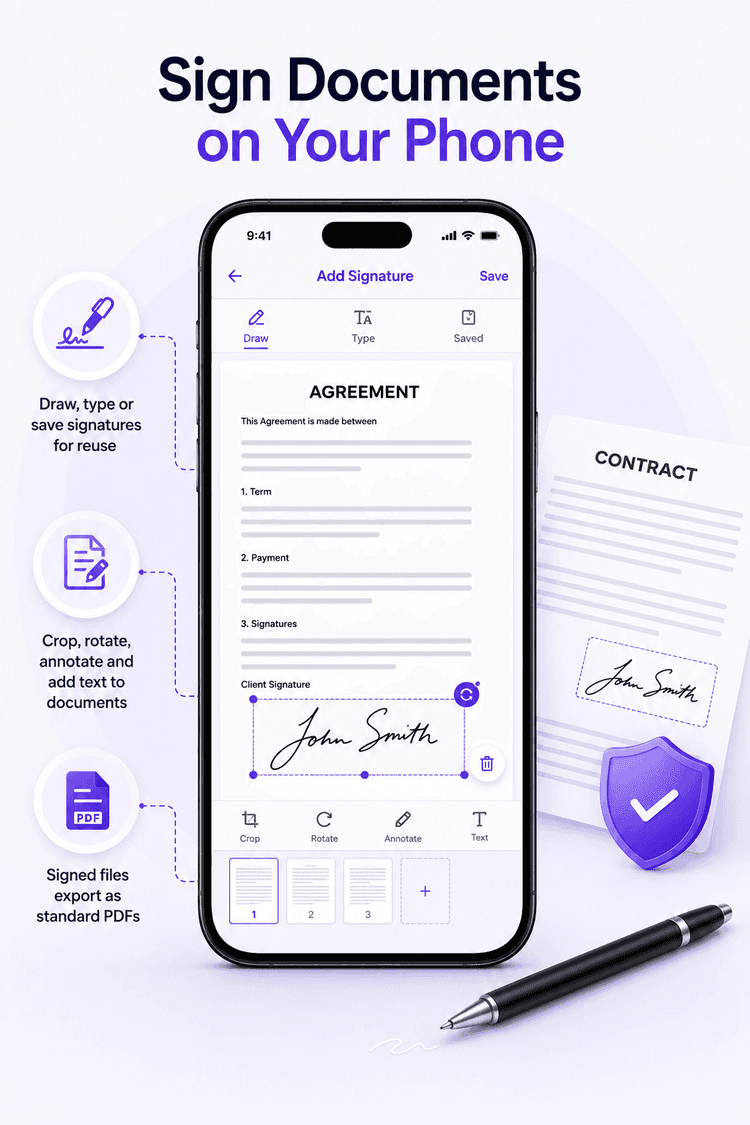
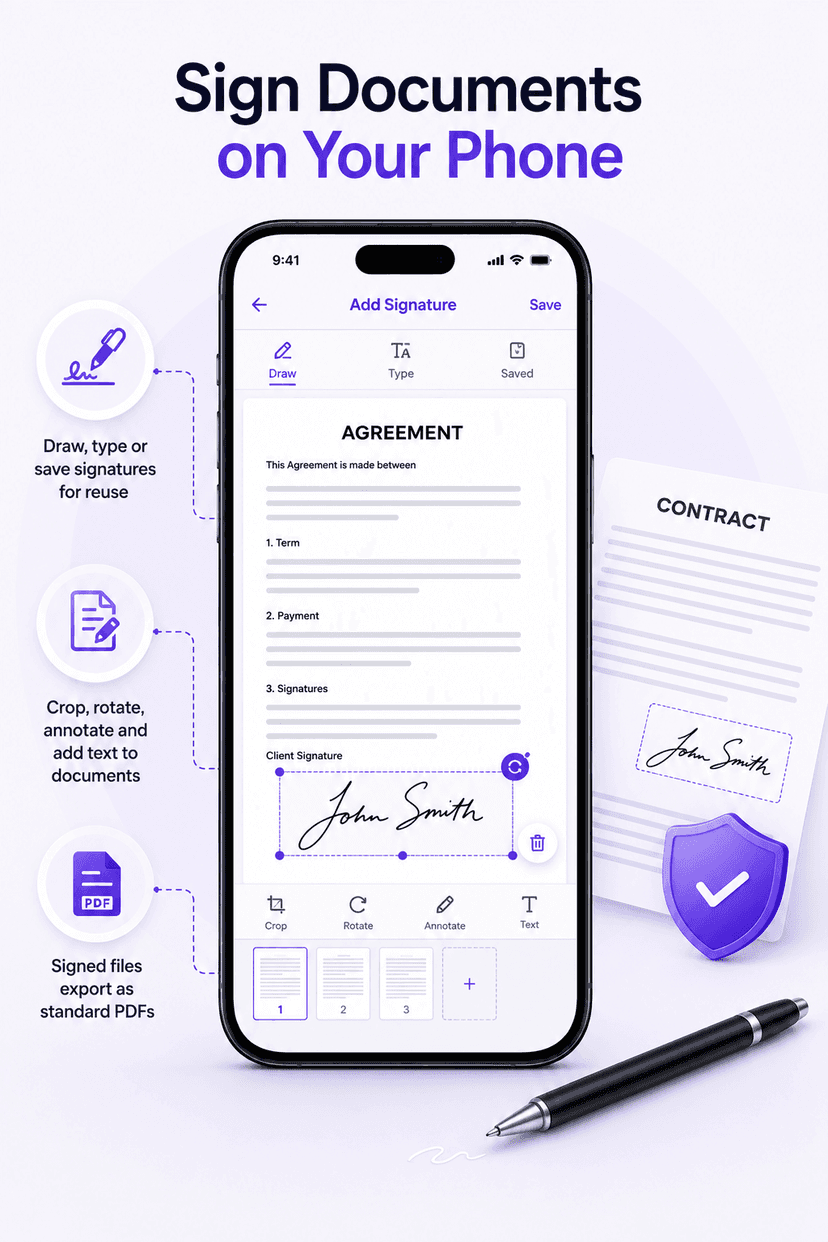
Sign PDF on phone: drawing an electronic signature on an agreement document in the Smart Printer app

Sign Documents on Your Phone

Draw, type or reuse a saved electronic signature and place it anywhere on a document. Sign agreements, contracts and forms in seconds — then print, fax or share the signed PDF.

  • Draw, type or save signatures for reuse
  • Crop, rotate, annotate and add text to documents
  • Signed files export as standard PDFs
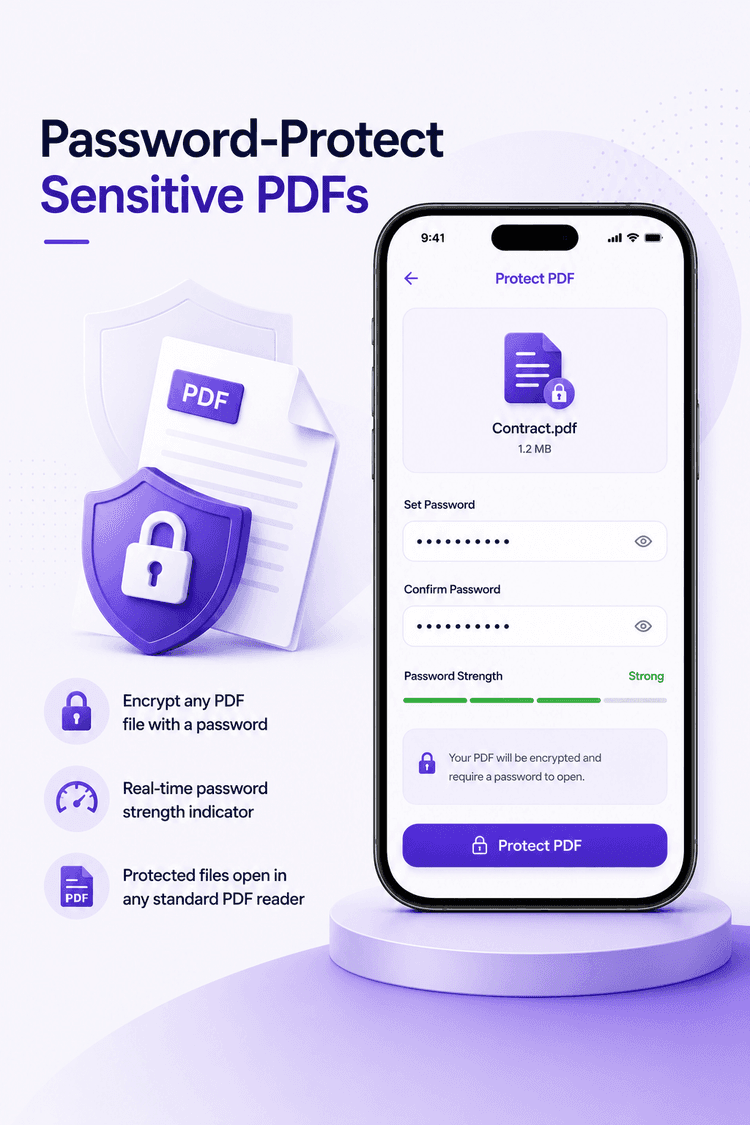
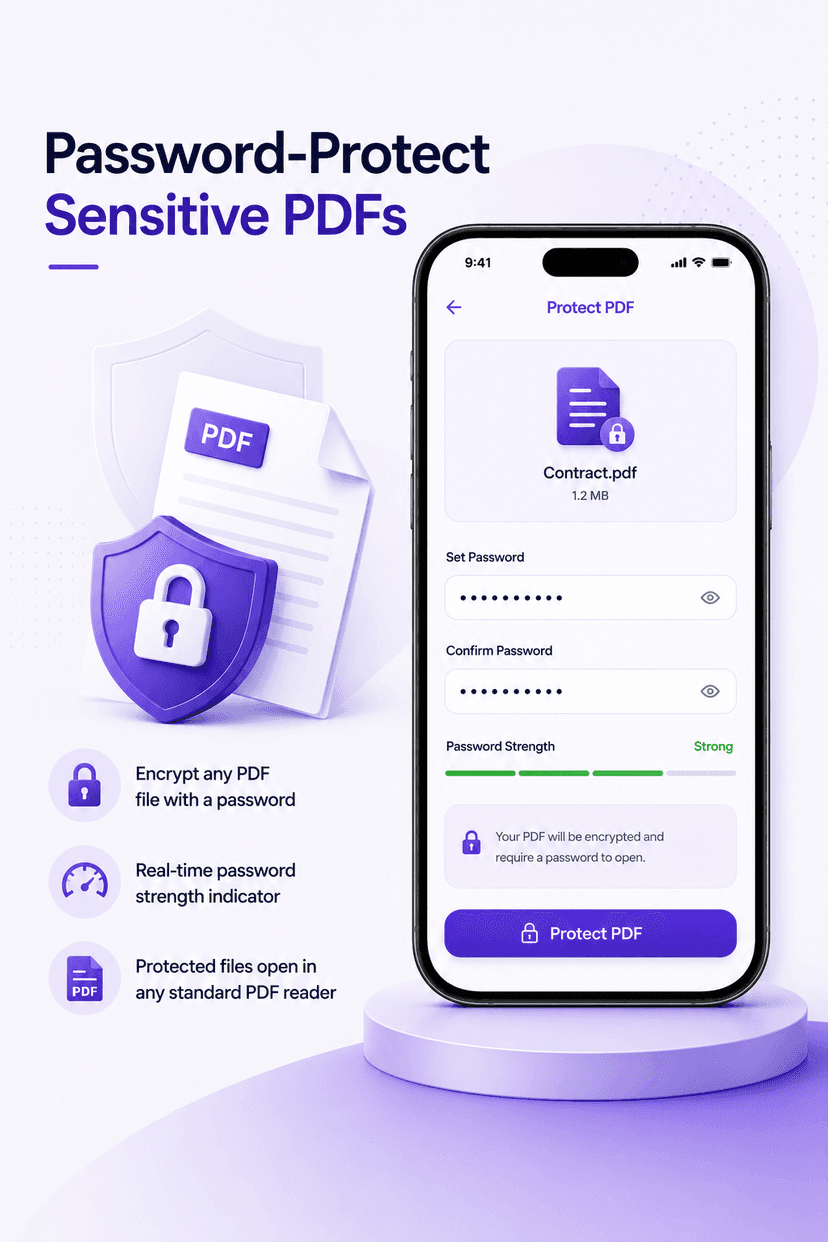
Password protect PDF on mobile: Smart Printer dialog with password fields and strength indicator securing a project proposal PDF

Password-Protect Sensitive PDFs

Keep contracts, invoices and personal documents private. Encrypt any PDF with a password in seconds, with a built-in strength meter so you know your file is secure before you share it.

  • Encrypt any PDF file with a password
  • Real-time password strength indicator
  • Protected files open in any standard PDF reader
PDF Editor & Document Management

A Complete Mobile PDF Toolkit, Built In

Smart Printer is more than a wireless printing app — it's a full document manager with 15+ tools to edit, convert, organize and secure your files on mobile.

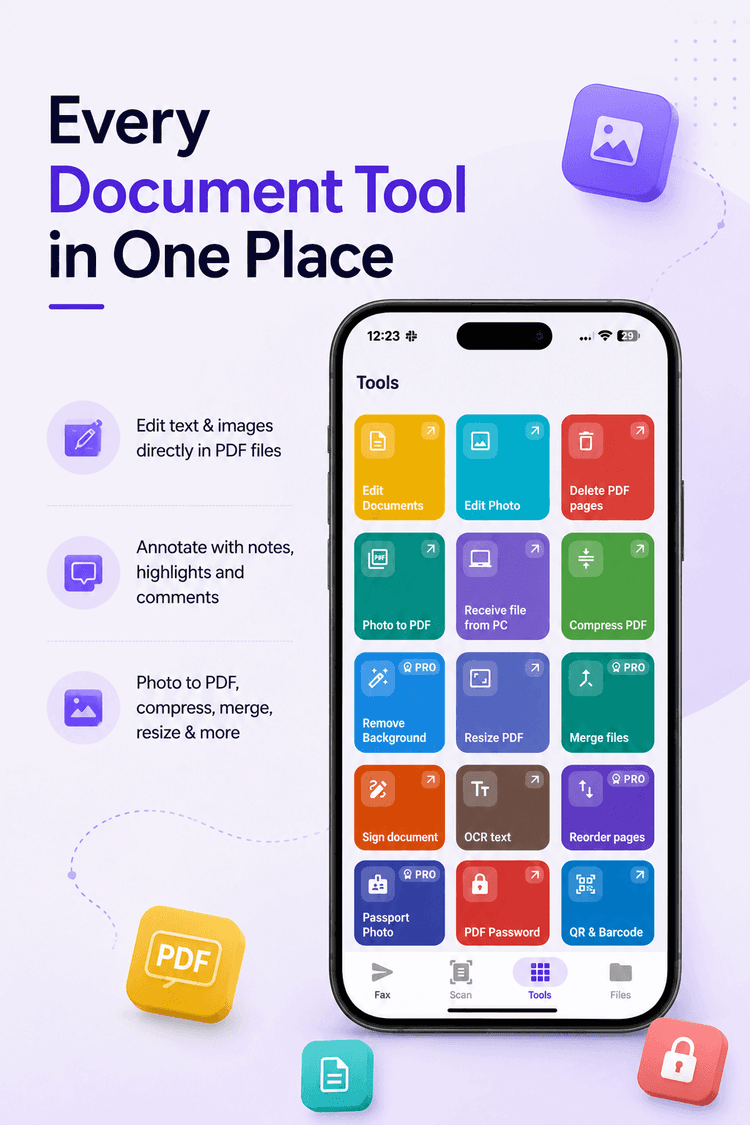
Mobile PDF tools in Smart Printer app: edit documents, edit photo, delete PDF pages, photo to PDF, receive file from PC, compress PDF, remove background, resize PDF and merge files

Every Document Tool in One Place

Open the Tools tab and everything is a tap away — edit text and images inside PDFs, annotate with notes and highlights, convert photos to PDF, or receive files from your PC to print on the go.

  • Edit text & images directly in PDF files
  • Annotate with notes, highlights and comments
  • Photo to PDF, compress, merge, resize & more
✏️
Edit PDF Documents
Edit text, images and content directly inside your PDF files.
🔒
Password Protect PDF
Lock sensitive PDFs with a password and strength indicator.
🗜️
Compress PDF
Shrink PDF file sizes for easy emailing and sharing.
🔗
Merge PDF Files
Combine multiple PDFs and documents into one file.
📐
Resize PDF
Change page dimensions to fit any print format.
🖼️
Photo to PDF
Convert single photos or whole albums into PDF documents.
Remove Background
Clean up photos and scans with one-tap background removal.
🗑️
Delete PDF Pages
Remove unwanted pages before printing or sharing.
📝
Annotate PDF
Add notes, highlights and comments to any document.
💻
Receive File From PC
Transfer documents from your computer to print on the go.
🏷️
Print Labels
Create and print custom labels in standard sizes.
🖨️
Multi-Photo Sheets
Print multiple photos per page with advanced format layouts.
Printer Compatibility

Works With All Major Printer Brands

Smart Printer supports over 10,000 wireless printer models. If your printer is on the same WiFi network as your phone, the app can find it — no AirPrint or Google Cloud Print required.

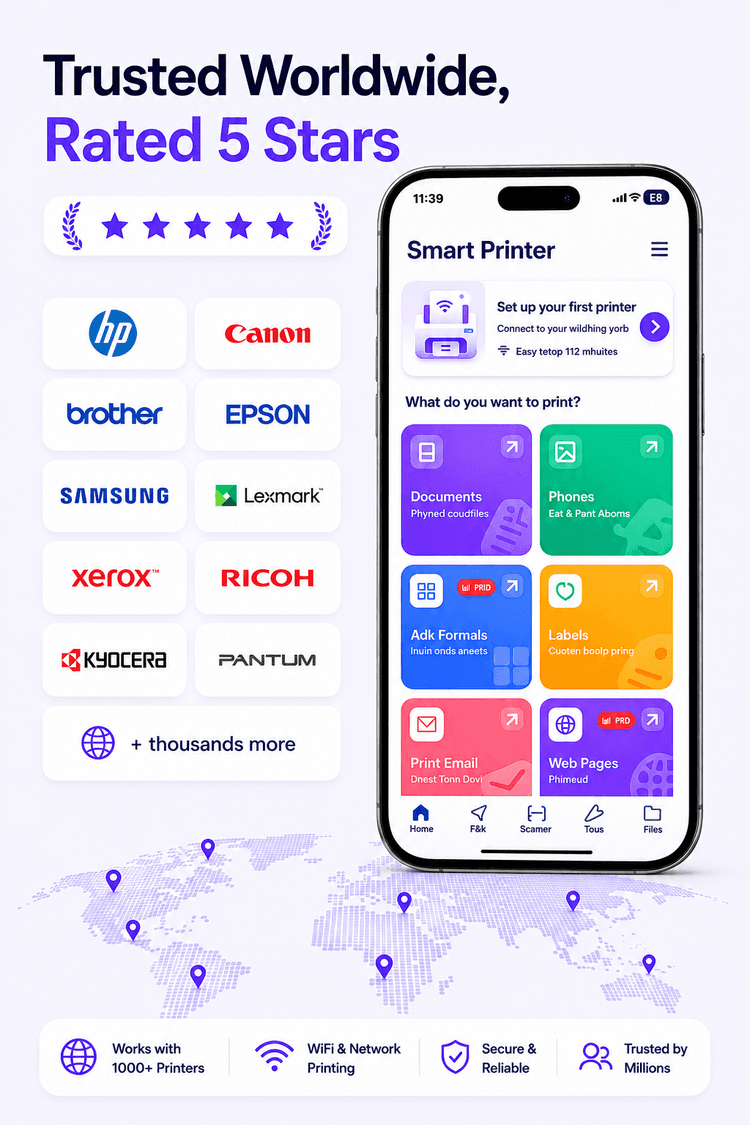
Smart Printer app trusted worldwide with 5-star rating, supporting over 10,000 WiFi printer models including color inkjet and laser printers

Trusted Worldwide, Rated 5 Stars

From home inkjet printers to office laser and all-in-one machines, Smart Printer connects to virtually any WiFi or network printer. Users around the world rely on it every day for documents, photos, shipping labels and more.

HPCanonBrotherEpsonSamsungLexmarkXeroxRicohKyoceraPantum+ thousands more
Who It's For

Made for Everyday Printing, Scanning & Faxing

Whether you work from home, run a small business or just need to print homework, Smart Printer handles it from your phone.

Home & Family
Print photos, school homework, boarding passes, recipes and forms straight from your phone to your home WiFi printer.
Remote Workers
Print contracts, scan signed documents and fax paperwork to clients — a full home-office workflow without a PC.
Small Business
Print invoices, shipping labels and receipts, send faxes to suppliers, and keep sensitive PDFs password-protected.
Students
Scan lecture notes, merge PDFs for assignments, and print essays and study sheets from anywhere on campus WiFi.
Getting Started

How to Print From Your Phone in 3 Steps

WiFi printer setup takes about 2 minutes. No technical knowledge, drivers or cables required.

1
Download the Free App
Get Smart Printer: Print Scan Fax free from Google Play or the App Store and open it on your Android phone or iPhone.
2
Connect to Your WiFi Printer
Make sure your phone and printer are on the same WiFi network. The app automatically detects every available printer — HP, Canon, Brother, Epson and more.
3
Print, Scan & Fax
Choose a document, photo or scan and tap print — or send it as an online fax. Your mobile office is ready.
FAQ

Frequently Asked Questions

Your Printer, Scanner & Fax Machine — In Your Pocket

Join users worldwide who print, scan, fax and manage PDF documents straight from their phone. Free to download on Android and iOS — set up your WiFi printer in 2 minutes.

Get it on Google PlayDownload on the App Store